Google Docs ব্যবহার করে ব্লগ পোস্টকে পডকাস্ট এপিসোডে রূপান্তর করার উপায়
দ্রুত উত্তর: ব্লগ পোস্টকে পডকাস্ট এপিসোডে রূপান্তর করতে, আপনার নিবন্ধটি Google Docs-এ খুলুন, AI ন্যারেটর সাইডবার খুলুন, Creator/Storyteller-এর মতো একটি প্রিমিয়াম প্রিসেট নির্বাচন করুন এবং আপনার অডিও তৈরি করুন। WAV ফাইল ডাউনলোড করুন, ইন্ট্রো/আউট্রো যোগ করুন এবং শ্রোতাদের আকর্ষণ করতে Spotify বা Apple Podcasts-এ প্রকাশ করুন।
📈 আপনার কন্টেন্টের নাগাল দ্বিগুণ করুন
Spotify, Apple Podcasts এবং Amazon Music-এর মতো প্ল্যাটফর্মে শ্রোতাদের কাছে পৌঁছান যারা অন্যথায় আপনার ব্লগ খুঁজে পেতেন না।⏳ পেজে সময় বাড়ান
আপনার লিখিত নিবন্ধে একটি অডিও প্লেয়ার যুক্ত করা ব্যবহারকারীর সময় বাড়ায়, যা সার্চ ইঞ্জিন SEO-এর জন্য একটি বড় ইতিবাচক র্যাঙ্কিং সংকেত।🔄 দক্ষতার সাথে রূপান্তর করুন
নতুন বিষয় নিয়ে চিন্তা করার দরকার নেই। আপনার বিদ্যমান ভালো মানের ব্লগ নিবন্ধগুলোকে উচ্চ-মূল্যের পডকাস্ট এপিসোডে রূপান্তর করুন।
| পডকাস্টের দিক | ঐতিহ্যবাহী রেকর্ডিং | AI Narrator ওয়ার্কফ্লো |
|---|---|---|
| প্রয়োজনীয় সরঞ্জাম | স্টুডিও মাইক, পপ ফিল্টার, ইন্টারফেস | শুধুমাত্র একটি ব্রাউজার |
| রেকর্ডিং স্পেস | সাউন্ডপ্রুফ শান্ত রুম | যেকোনো জায়গায়, সম্পূর্ণ নীরব জেনারেশন |
| সম্পাদনার সময় | "ums", পপ, শ্বাস ফেলার শব্দ সরাতে কয়েক ঘণ্টা লাগে | কোনো সম্পাদনার প্রয়োজন নেই |
| পুনঃব্যবহারের খরচ | উচ্চ (সময় বা ভাড়া করা প্রতিভা) | ফ্রি/অন্তর্ভুক্ত |
ধাপ ১: Google ডক্সে আপনার স্ক্রিপ্ট প্রস্তুত করুন
আপনার প্রকাশিত ব্লগ পোস্টটি Google ডক্সে খুলুন।
ওয়েব-নির্দিষ্ট বাক্যাংশ যেমন "নিচের লিঙ্কে ক্লিক করুন" বা "উপরের ছবিতে যেমন দেখা গেছে" সরিয়ে ফেলুন। সেগুলোকে অডিও-বান্ধব বিকল্প দিয়ে প্রতিস্থাপন করুন।
ধাপ ২: পডকাস্ট ইন্ট্রো এবং আউটট্রো যোগ করুন
একটি সংক্ষিপ্ত পরিচিতি (যেমন, "[পডকাস্টের নাম] পডকাস্টে আপনাকে স্বাগতম...") এবং শেষে একটি স্পষ্ট কল-টু-অ্যাকশন আউটট্রো যোগ করুন।
এটি আপনার অডিও ফাইলটিকে একটি পেশাদার পডকাস্ট ফরম্যাট দেয়।
ধাপ ৩: "ক্রিয়েটর/স্টোরিটেলার" প্রিসেট নির্বাচন করুন
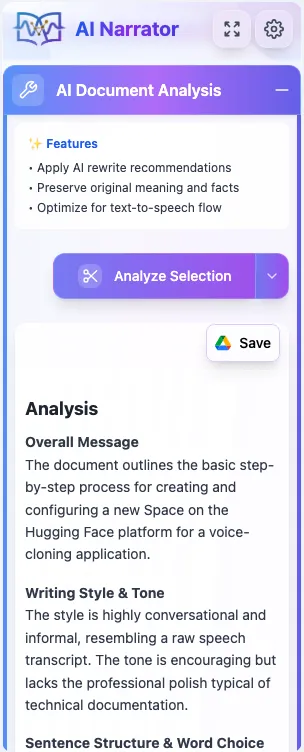
AI ন্যারেটর সাইডবার খুলুন। আপনার পোস্টের টোনের উপর ভিত্তি করে "স্টোরিটেলার" বা "এক্সিকিউটিভ পিচ" প্রিসেট বেছে নিন। আরও বিকল্পের জন্য পডকাস্টের জন্য সেরা ভয়েস প্রিসেট-এর গাইডটি দেখুন।
জেনারেট-এ ক্লিক করুন এবং টোন ও গতি আপনার কন্টেন্টের সাথে সামঞ্জস্যপূর্ণ কিনা তা নিশ্চিত করতে ভয়েস ফ্লোটি শুনুন।
ধাপ ৪: ডাউনলোড এবং বিতরণ করুন
জেনারেট করা WAV ফাইলটি ডাউনলোড করুন।
আপনার পডকাস্ট হোস্টে (যেমন Spotify for Podcasters বা Libsyn) অডিওটি আপলোড করুন এবং আপনার মূল ব্লগ পোস্টের শীর্ষে এটি এমবেড করুন।
SEO বোনাস: এমবেড করা অডিও প্লেয়ার থাকা পেজগুলোতে গড়ে ১৫০-২০০% বেশি সময় ব্যয় করেন ভিজিটররা। এটি বাস্তবায়ন করা আপনার পডকাস্ট ট্রাফিক এবং সার্চ ইঞ্জিন র্যাঙ্কিং উভয়কেই বৃদ্ধি করে!
- অডিওবুকের জন্য AI ন্যারেটর: সেরা ভয়েস এবং প্রিসেট — বর্ণনামূলক এবং কথোপকথনমূলক কন্টেন্টের জন্য ভয়েস প্রিসেট।
- Google ডক্সকে কিভাবে অডিও ফাইলে রূপান্তর করবেন — অডিও রূপান্তরের সব পদ্ধতির তুলনা।
- AI ন্যারেটর বনাম ElevenLabs — ডকুমেন্ট-ভিত্তিক কন্টেন্ট তৈরির জন্য কেন AI ন্যারেটর দ্রুত।
- ২০২৬ সালের সেরা ElevenLabs বিকল্প — সমস্ত AI ভয়েস টুলের সম্পূর্ণ তুলনা।
আজই আপনার পডকাস্ট শুরু করুন: বিনামূল্যে AI ন্যারেটর ইনস্টল করুন এবং কয়েক মিনিটের মধ্যে আপনার প্রথম ব্লগ পোস্টটিকে পডকাস্ট এপিসোডে রূপান্তর করুন।
এই কণ্ঠ নিজেই শুনতে চান?
এই মুহূর্তে বিনামূল্যে আমাদের AI বর্ণনাকারী চেষ্টা করুন. কোন সাইন আপ প্রয়োজন.
এআই ন্যারেটর চেষ্টা করতে প্রস্তুত?
আজ থেকেই আপনার গুগল ডক্সকে পেশাদার অডিওতে রূপান্তর করা শুরু করুন। চিরকাল বিনামূল্যে!
Doc-এ যোগ করুন - এটি বিনামূল্যে