AI Narrator vs ElevenLabs vs Murf Vergleich: Was ist am besten für Google Docs?
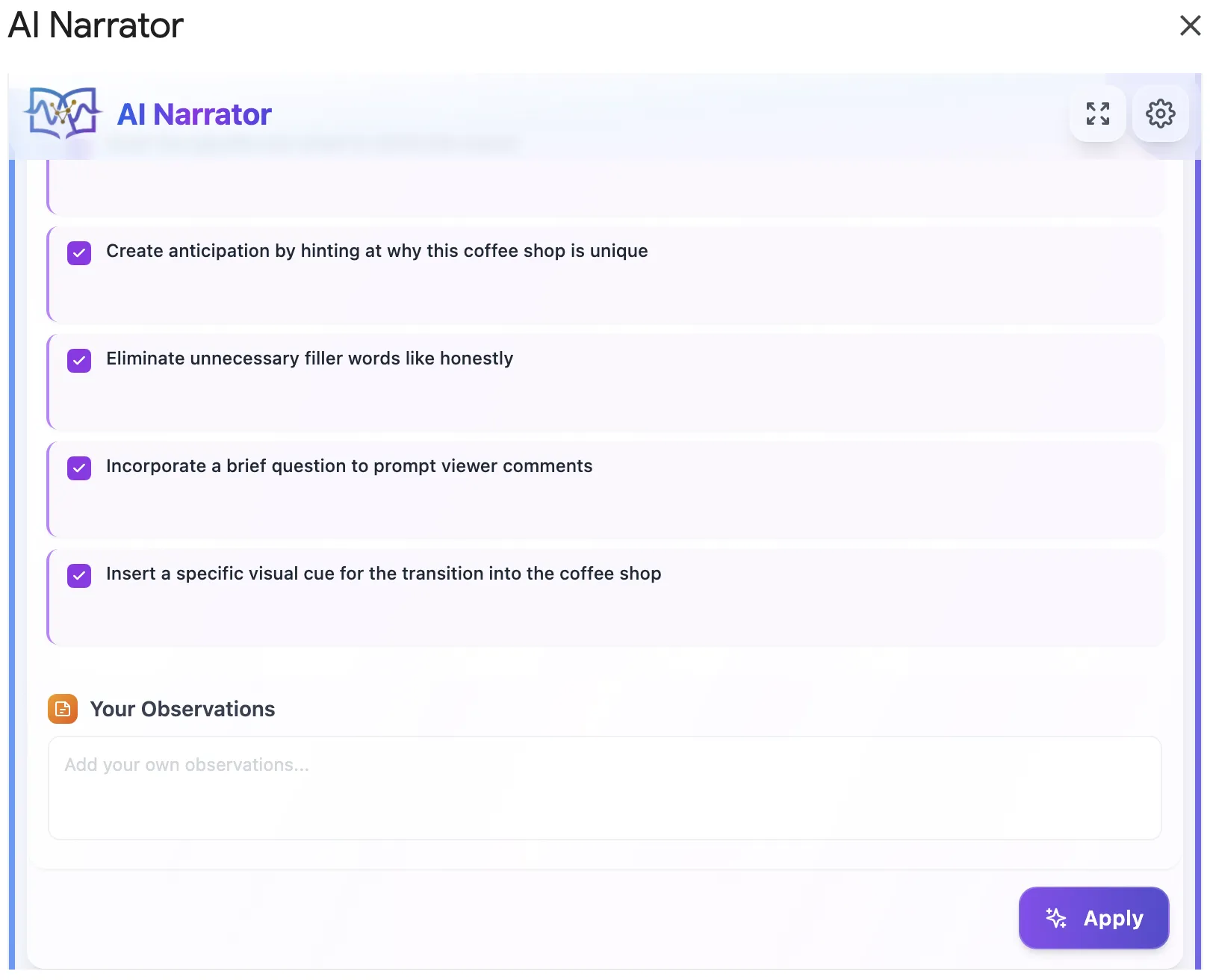
Möchten Sie diese Stimmen selbst hören?
Testen Sie unseren AI Narrator jetzt kostenlos. Keine Anmeldung erforderlich.
Kurze Antwort: Wenn Ihr Workflow auf Google Docs basiert, ist AI Narrator der klare Gewinner, da es direkt in Ihrer Dokumenten-Seitenleiste läuft. Während ElevenLabs erstklassiges Custom-Cloning anbietet und Murf sich auf Video-Studio-Overlays konzentriert, erfordern beide ständiges Kopieren und Einfügen. AI Narrator ist zudem mit seinem zeitlich unbegrenzten kostenlosen Tarif am budgetfreundlichsten.
| Funktion / Kriterium | KI-Erzähler | ElevenLabs | Murf.ai |
|---|---|---|---|
| Google Docs-Integration | ✅ Native Seitenleisten-Erweiterung | ❌ Keine (nur Web-Konsole) | ❌ Keine (nur Web-Studio) |
| Workflow-Geschwindigkeit | ⚡ Liest Dokument sofort | ⚠️ Kopieren & Einfügen erforderlich | ⚠️ Kopieren & Einfügen / Hochladen erforderlich |
| Kostenloser Tarif | ✅ Für immer kostenlos (32 Stimmen) | ⚠️ Sehr begrenzte Zeichenanzahl | ⚠️ Nur Vorschau, kein Download |
| Hauptfokus | Dokumenten- & Skript-Narration | Stimmenklonung & Synchronisation | Video-Voiceovers & Timelines |
1. Workflow & Integration
AI Narrator wurde speziell für Google Docs entwickelt. Sie schreiben Ihren Inhalt, wählen den Text aus und klicken direkt in der Seitenleiste auf „Generieren“. Bei ElevenLabs und Murf müssen Sie Ihr Dokument exportieren, hochladen oder Textblöcke kopieren und einfügen sowie mehrere Browser-Tabs verwalten.2. Sprachqualität und Voreinstellungen
ElevenLabs ist branchenführend bei hyperrealistischer Stimmklonung. AI Narrator bietet jedoch 18 kuratierte Sprachvoreinstellungen, die für spezifische Dokumenttypen (Hörbücher, Präsentationen, Vorlesungen, ASMR) vorkonfiguriert sind und großartige Qualität ohne komplexe Einstellungen bieten.3. Preise & Wert
Der kostenlose Tarif von Murf ist nur für die Vorschau gedacht, und die Credits von ElevenLabs sind schnell aufgebraucht. AI Narrator bietet einen großzügigen, für immer kostenlosen Plan, der voll funktionsfähig ist. Er ist perfekt für Kreative, Studenten und Profis, die täglich Audio generieren möchten, ohne monatliche Abonnements zu bezahlen.
Für einen tieferen Einblick speziell in den Murf-Vergleich lesen Sie unseren vollständigen Murf-Vergleich.
Wählen Sie AI Narrator, wenn:
Sie Ihre Artikel, Bücher, Videoskripte oder Anleitungen in Google Docs schreiben und diese mit einem Klick in Voiceovers verwandeln möchten.
Sie eine dauerhaft kostenlose Lösung mit 18 natürlichen Voreinstellungen ohne Sorgen über Zeichenlimits oder monatliche Rechnungen suchen.
Wählen Sie ElevenLabs, wenn:
Sie Ihre eigene Stimme klonen müssen oder hochgradig emotionale, dynamische Sprachausgabe für kreative Dialoge benötigen.
Sie Entwickler-Apps mit deren REST-APIs bauen und kein Google Docs verwenden.
Wählen Sie Murf.ai, wenn:
Sie Videopräsentationen erstellen und Voiceovers exakt mit Folienübergängen in deren Editor synchronisieren müssen.
Sie eine integrierte Bibliothek für Stock-Videos und Hintergrundmusik benötigen.
Fazit: Für Google Docs-Nutzer eliminiert AI Narrator die Reibung des Kopierens und Einfügens. Es ist das produktivste, nahtloseste und kostengünstigste Text-to-Speech-Add-on auf dem Markt. Probieren Sie es aus, indem Sie es noch heute kostenlos aus dem Google Workspace Marketplace installieren.
- AI Narrator vs ElevenLabs — Detaillierte Analyse zu Sprachqualität, Klonen und Preisen.
- AI Narrator vs Murf — Dokumenten-Erzählung vs. Video-Voiceover-Produktion.
- AI Narrator vs Natural Reader — Kostenlose TTS-Tools im direkten Vergleich.
- AI Narrator vs Google TTS — Warum natürliche KI-Stimmen den eingebauten Screenreader schlagen.
- Die besten ElevenLabs-Alternativen im Jahr 2026 — Vollständiger Überblick über alle Wettbewerber.
Bereit, AI Narrator auszuprobieren?
Beginnen Sie noch heute mit der Umwandlung Ihrer Google Docs in professionelles Audio. Für immer kostenlos!
Zum Doc hinzufügen - Kostenlos