AI Narrator vs Natural Reader: Best Free Text-to-Speech Tool Compared
AI Narrator vs Natural Reader: We compare Google Docs integration, voice quality, free tier value, and accessibility features. Discover which free TTS tool is right for you.
Quick Answer: AI Narrator is the better choice for Google Docs users who want to convert documents into downloadable audio files. Natural Reader is a solid personal reading tool, but it lacks Google Docs integration, offers fewer voice presets, and restricts its free tier to basic voices only.
| Feature / Criteria | AI Narrator | Natural Reader |
|---|---|---|
| Google Docs Integration | ✅ Native Sidebar Extension | ❌ None |
| Primary Use Case | Document-to-Audio Conversion | Personal Reading & Screen Reading |
| Free Tier | ✅ Free forever (32 voices) | ⚠️ Limited to basic voices only |
| WAV Download | ✅ Included in free plan | ⚠️ Paid plan required for downloads |
| Voice Presets | 18 genre-optimized presets | 15+ generic voices |
| Chrome Extension | ❌ Google Docs add-on | ✅ Yes |
| Mobile App | ❌ Browser-based | ✅ iOS & Android |
| Languages | 15 | 20+ |
1. Document-to-Audio Conversion
AI Narrator is purpose-built for converting Google Docs into audio. You open the sidebar, select a voice preset, and generate a downloadable WAV. Natural Reader lets you paste text and listen to it in real time, but it is not designed for bulk document conversion or creating persistent audio files from long documents.2. Voice Quality & Presets
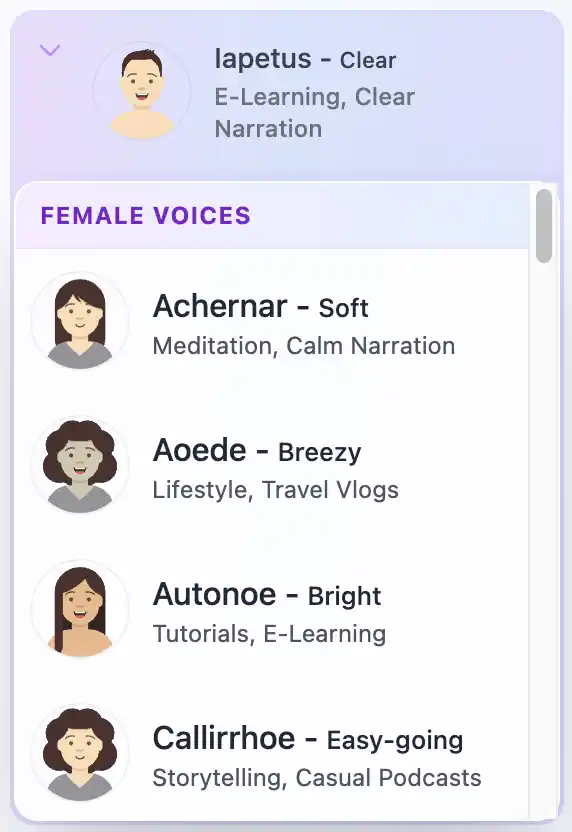
Natural Reader offers standard TTS voices that sound natural for short passages but become monotonous over long-form content. AI Narrator provides 18 genre-specific presets (Storyteller, Lecture & Concepts, Executive Pitch) that are pre-configured for pacing, tone, and emphasis specific to your content type.3. Free Tier Value
Natural Reader restricts its best voices to paid plans. AI Narrator includes all 18 voice presets in its free-forever tier with WAV downloads. For users who need regular audio output without a subscription, AI Narrator offers significantly more value.
Choose AI Narrator if:
You write in Google Docs and want to convert entire documents into downloadable WAV audio files.
You need genre-specific voice presets optimized for audiobooks, lectures, podcasts, or presentations.
You want a free-forever tool with 15 language support and no paywall for downloads.
You are an educator, writer, or content creator who needs persistent audio output.
Choose Natural Reader if:
You need a quick personal reading tool for web pages, PDFs, or emails.
You want a Chrome extension that reads text aloud on any website.
You need a mobile app for on-the-go listening.
You are looking for a basic screen reader alternative for accessibility purposes.
Conclusion: Natural Reader is a decent personal reading tool, but it cannot match AI Narrator for document-to-audio conversion, voice presets, or free-tier value. Before deciding, try AI Narrator for free and experience the difference.
Want to hear these voices yourself?
Try our AI Narrator for free right now. No sign-up required.
Play Voice SamplesReady to Try AI Narrator?
Start converting your Google Docs into professional audio today. Free forever!
Add to Doc - It's free