How to Convert Google Docs to Audio Files
Learn multiple methods to convert your Google Docs into audio files. From AI Narrator to built-in tools, find the best approach for your needs.
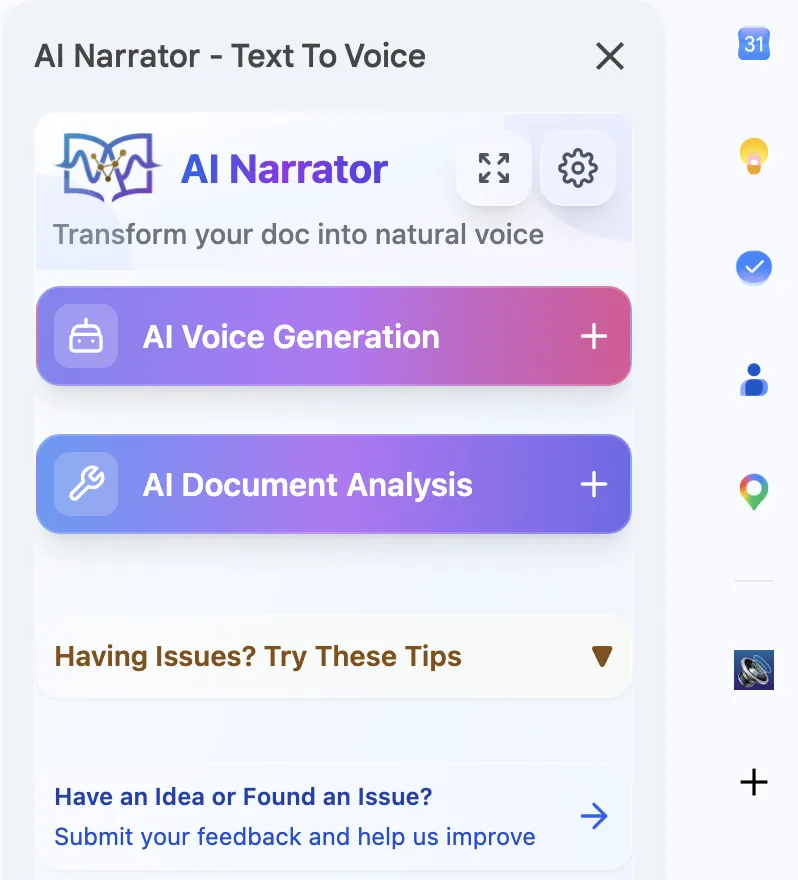
Quick Answer: To convert a Google Doc to audio, install the AI Narrator Chrome extension, open your document, and click Generate. You'll get a high-quality WAV file in seconds with 32 AI voices and 15+ languages — no watermarks or limits.
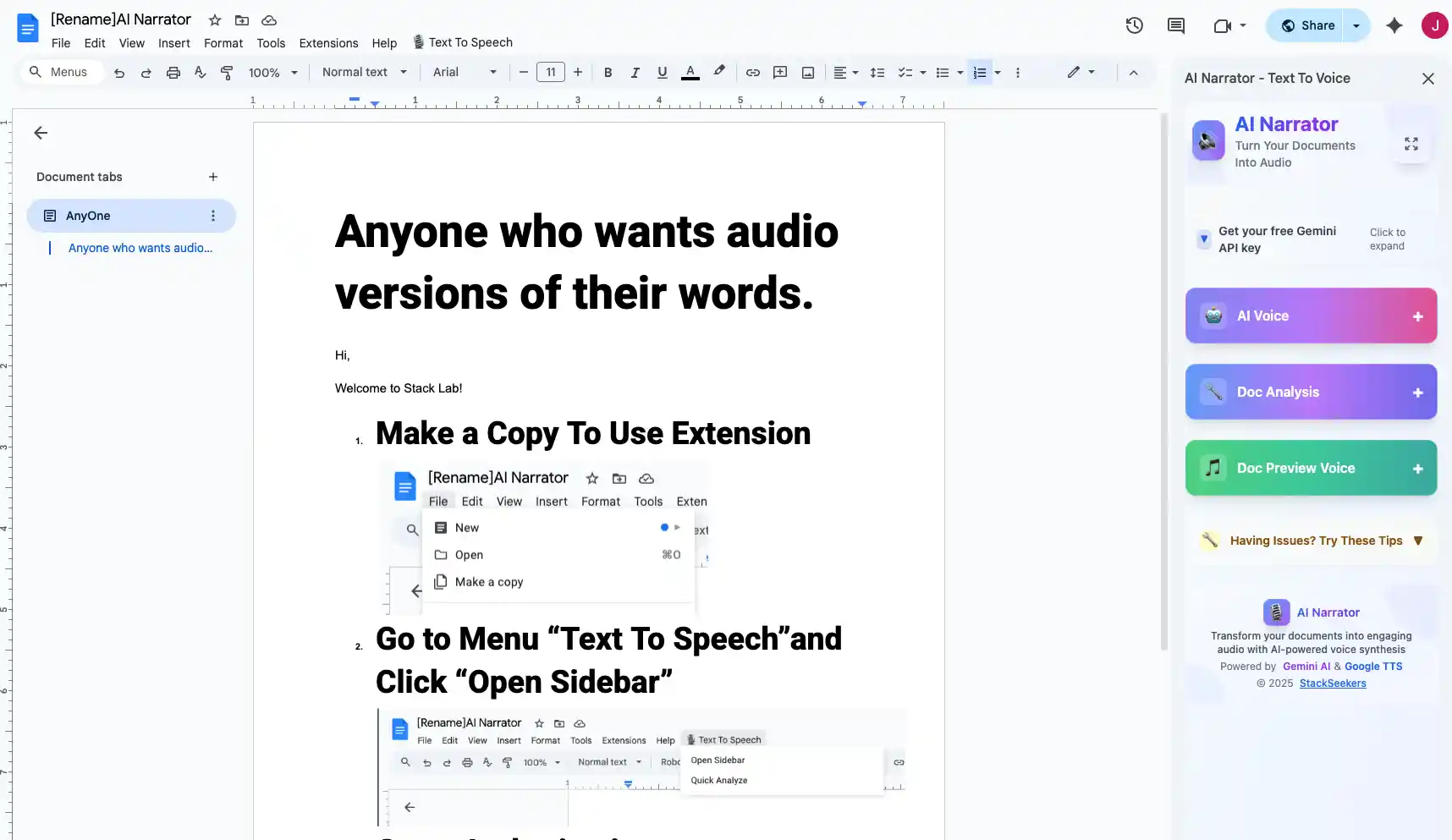
AI Narrator is the most powerful tool for converting Google Docs to audio. It integrates directly with Google Docs and uses advanced AI voices to produce studio-quality audio in seconds. You can convert entire documents or selected sections.
One-Click Conversion
Convert any document to audio with a single click32 AI Voices
Choose from professional voices in multiple languagesWAV Export
Download high-quality WAV files for any useMulti-Language
Support for over 15 languages and regional accents
Step 1: Install AI Narrator
Add the AI Narrator extension from the Chrome Web Store. It integrates directly into your Google Docs interface.
Step 2: Open Your Document
Open the Google Doc you want to convert. Click the AI Narrator icon in the toolbar to open the settings panel.
Step 3: Choose Voice and Settings
Select from 32 available voices. Adjust speed and pitch to match your preferred listening style. Preview the voice before generating.
Step 4: Generate and Download
Click "Generate" to convert the text. Once processing completes, download your audio as a WAV file, ready to use anywhere.
Google Docs has basic text-to-speech through the Chrome browser's accessibility features. You can select text, right-click, and use "Read aloud." However, this method doesn't allow you to download audio files — it's playback only. For downloadable audio, a dedicated TTS extension is required.
Several online tools claim to convert Google Docs to audio, but most require you to copy-paste text into their platform, losing formatting and structure. They also often have voice limits, watermarks, or usage caps.
| Method | Quality | Download | Voice Options |
|---|---|---|---|
| AI Narrator | High | WAV | 32 |
| Chrome TTS | Low | No | 2-3 |
| Online Converters | Medium | MP3/WAV | 5-10 |
| Screen Readers | Low | No | 2-3 |
| AI Narrator Premium | High | WAV | 32 + custom |
To get the highest quality audio, follow these tips: format your document with clear headings and paragraphs, choose a voice that matches your content type, and always preview before generating the full file. For non-English documents, use our multilingual TTS guide to select the right voice.
Bu sesleri kendiniz duymak ister misiniz?
AI Narrator'ı hemen ücretsiz deneyin. Kayıt gerekmez.
Ses Örneklerini OynatAI Narrator'ı Denemeye Hazır mısınız?
Google Docs'unuzu bugün profesyonel sese dönüştürmeye başlayın. Sonsuza kadar ücretsiz!
Docs'a Ekle — Ücretsiz