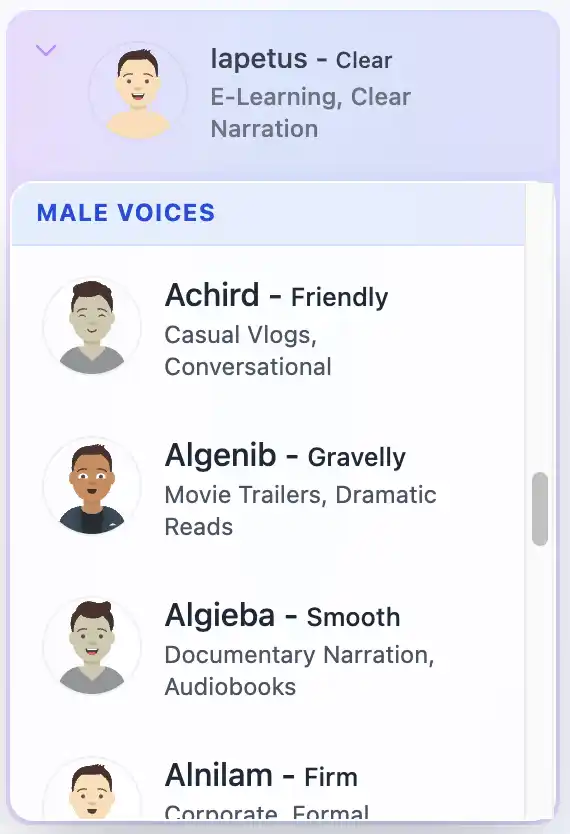
त्वरित उत्तर: 2026 में, AI वॉइस क्लोनिंग पहले से कहीं अधिक सुलभ है। डेवलपर्स और उत्साही लोगों के लिए, Kokoro-82M और F5-TTS जैसे ओपन-सोर्स मॉडल स्थानीय रूप से मानव-समान आवाज़ जनरेशन प्रदान करते हैं। ऐसे क्रिएटर्स के लिए जो बिना किसी सेटअप वाले, हमेशा फ्री रहने वाले विकल्प की तलाश में हैं जो सीधे उनके लेखन वातावरण के साथ एकीकृत हो, AI Narrator Google डॉक्स ऐड-ऑन आपकी आवाज़ को क्लोन करने और दस्तावेज़ों को तुरंत सुनाने के लिए अनुशंसित टूल है।
1. ऑडियो फ़ीचर एक्सट्रैक्शन
मॉडल आपके स्रोत ऑडियो (अक्सर केवल 5 से 30 सेकंड) का विश्लेषण करता है ताकि फॉर्मंट्स, पिच कंटूर और स्पेक्ट्रल डायनेमिक्स जैसी ध्वनिक विशेषताओं को निकाला जा सके।2. लेटेंट रिप्रेजेंटेशन मैचिंग
टेक्स्ट इनपुट को प्रोसेस किया जाता है और एक लेटेंट फोनेटिक स्पेस में मैप किया जाता है, जिसे फिर निकाले गए वक्ता पहचान वेक्टर के साथ मिश्रित किया जाता है।3. न्यूरल वोकोडर / ऑडियो जनरेशन
एक न्यूरल वोकोडर (जैसे BigVGAN या डिफ्यूजन-आधारित मॉडल) संयुक्त विशेषताओं को उच्च-निष्ठा वाले श्रव्य तरंगों में वापस बदल देता है।
| टूल | प्रकार | आवश्यक हार्डवेयर | सर्वोत्तम इसके लिए |
|---|---|---|---|
| AI Narrator | क्लाउड / Google Workspace | कोई नहीं (ब्राउज़र में काम करता है) | लेखक, निर्माता, Google Docs उपयोगकर्ता |
| Kokoro-82M | ओपन-सोर्स (स्थानीय) | CPU / एंट्री GPU | डेवलपर्स, एज कंप्यूटिंग |
| F5-TTS | ओपन-सोर्स (स्थानीय) | एनवीडिया जीपीयू (6GB+ VRAM) | कस्टम स्थानीय आवाज़ क्लोनिंग |
| फिश स्पीच | ओपन-सोर्स और क्लाउड | एनवीडिया जीपीयू (8GB+ VRAM) | बहुभाषी आवाज़ क्लोन |
AI Narrator क्यों अलग है: यदि आप पायथन वातावरण, GPU ड्राइवर और कमांड-लाइन कॉन्फ़िगरेशन से निपटना नहीं चाहते हैं, तो AI Narrator आपको अपने दस्तावेज़ों से सीधे अत्याधुनिक आवाज़ जनरेशन का लाभ उठाने देता है। आप इसे Google वर्कस्पेस मार्केटप्लेस से मुफ़्त में इंस्टॉल कर सकते हैं।
क्यूवेन TTS
Qwen आर्किटेक्चर पर निर्मित एक उन्नत मॉडल, जो संवादात्मक बारीकियों के साथ अत्यधिक अभिव्यंजक वॉइस क्लोन प्रदान करता है।F5-TTS
एक तेज़, नॉन-ऑटोरिग्र्रेसिव फ्लो मैचिंग मॉडल जो केवल 5-सेकंड की संदर्भ ऑडियो क्लिप का उपयोग करके अविश्वसनीय सटीकता के साथ आवाज़ को क्लोन कर सकता है।फिश स्पीच
अंग्रेजी, चीनी, जापानी और कई यूरोपीय भाषाओं में ज़ीरो-शॉट वॉइस क्लोनिंग का समर्थन करने वाला एक अभिनव ऑटोरिग्र्रेसिव मॉडल।चैटरबॉक्स
वास्तविक समय की बातचीत और वॉइस-टू-वॉइस एजेंटों के लिए अनुकूलित एक हल्का और मॉड्यूलर TTS इंजन।कोकोरो
82-मिलियन पैरामीटर वाला मॉडल जो CPU पर भी अविश्वसनीय रूप से तेज़ चलता है। यह न्यूनतम मेमोरी फुटप्रिंट के साथ आश्चर्यजनक रूप से प्राकृतिक ऑडियो उत्पन्न करता है।
लोकल / सेल्फ-होस्टेड (F5-TTS, Kokoro)
प्रो: 100% निजी, मुफ्त कंप्यूटिंग, कोई API सीमा नहीं।
कॉन्स: महंगे Nvidia GPU, जटिल स्थापना और उच्च बिजली उपयोग की आवश्यकता होती है।क्लाउड परिनियोजन (AI Narrator)
प्रो: शून्य सेटअप, मोबाइल पर काम करता है, तेज़ जनरेशन गति, स्टूडियो-गुणवत्ता न्यूरल एन्हांसमेंट, और निरंतर मॉडल अपडेट।
कॉन्स: इंटरनेट कनेक्शन की आवश्यकता है।
- कंटेंट क्रिएशन: यूट्यूबर और पॉडकास्टर वीडियो स्क्रिप्ट को जल्दी सुनाने और दोबारा रिकॉर्ड किए बिना वॉयसओवर संपादित करने के लिए कस्टम वॉइस क्लोन का उपयोग करते हैं।
- ऑडियोबुक्स और ई-लर्निंग: लेखक और शिक्षक टेक्स्ट सामग्री को एक परिचित, मैत्रीपूर्ण आवाज़ में सुनाए गए इमर्सिव ऑडियो अनुभवों में बदल देते हैं।
- एक्सेसिबिलिटी: भाषण हानि वाले व्यक्तियों को सामान्य रोबोटिक विकल्पों के बजाय उनकी अपनी व्यक्तिगत आवाज़ देना।
- दस्तावेज़ ऑडिटिंग: संरचना और सामग्री प्रवाह को सत्यापित करने के लिए चलते-फिरते जटिल स्प्रेडशीट या दस्तावेज़ों को सुनना।
AI Narrator इंस्टॉल करें
Google वर्कस्पेस मार्केटप्लेस पर जाएं और AI Narrator खोजें, या ऐड-ऑन इंस्टॉल करने के लिए बस यहाँ क्लिक करें।
आवश्यक अनुमतियां प्रदान करें ताकि ऐड-ऑन आपके Google डॉक्स से टेक्स्ट पढ़ सके और ऑडियो जनरेट कर सके।
अपना संदर्भ ऑडियो रिकॉर्ड करें
अपनी आवाज़ की 30-सेकंड की एक साफ रिकॉर्डिंग तैयार करें। सर्वोत्तम परिणामों के लिए, हमारी वॉइस क्लोनिंग रिकॉर्डिंग स्क्रिप्ट गाइड का उपयोग करें।
सुनिश्चित करें कि आपकी रिकॉर्डिंग में कोई बैकग्राउंड शोर, गूँज या संगीत नहीं है।
अपलोड और जनरेट करें
Google Docs में Extensions मेनू से AI Narrator खोलें।
"Custom Voice Clone" चुनें और अपनी ऑडियो फ़ाइल अपलोड करें।
अपने दस्तावेज़ में किसी भी टेक्स्ट को हाइलाइट करें, अपनी कस्टम आवाज़ चुनें और Generate Narrator Audio पर क्लिक करें। आपकी कस्टम आवाज़ आपके दस्तावेज़ के टेक्स्ट को पूरी तरह से बोलेगी!
- क्या AI वॉयस क्लोनिंग मुफ़्त है? हाँ! ओपन-सोर्स मॉडल स्थानीय रूप से चलाने के लिए 100% मुफ़्त हैं, और AI Narrator दस्तावेज़ वर्णन के लिए एक उदार 'हमेशा मुफ़्त' टियर प्रदान करता है।
- आवाज़ क्लोन करने के लिए कितने ऑडियो की आवश्यकता है? F5-TTS जैसे आधुनिक मॉडल को केवल 5 से 10 सेकंड के उच्च-गुणवत्ता वाले संदर्भ ऑडियो की आवश्यकता होती है, हालाँकि अधिकतम भावना और लय के लिए 30-60 सेकंड की सिफारिश की जाती है।
- क्या मैं CPU पर वॉयस क्लोनिंग चला सकता हूँ? हाँ! Kokoro-82M जैसे मॉडल कम-क्षमता वाले उपकरणों के लिए अनुकूलित हैं और मानक लैपटॉप CPU पर वास्तविक समय से तेज़ आवाज़ जनरेट कर सकते हैं।
शुरू करने के लिए तैयार हैं? आज ही Google Docs के लिए AI Narrator ऐड-ऑन इंस्टॉल करें और उच्च-गुणवत्ता वाली, मुफ़्त AI वॉयस क्लोनिंग का प्रत्यक्ष अनुभव लें!
- वॉयस क्लोन में सुधार कैसे करें: बेहतरीन स्क्रिप्ट — अधिकतम वॉयस क्लोन गुणवत्ता के लिए प्रो-ग्रेड रिकॉर्डिंग स्क्रिप्ट।
- 2026 में सर्वश्रेष्ठ AI वॉयस API — व्यावसायिक और स्वयं-होस्टेड TTS API की तुलना करें।
- AI Narrator बनाम ElevenLabs — AI Narrator की तुलना वॉयस क्लोनिंग लीडर से कैसे करें।
- 2026 में सर्वश्रेष्ठ ElevenLabs विकल्प — प्रत्येक AI वॉयस टूल का संपूर्ण परिदृश्य।
क्या आप स्वयं ये आवाजें सुनना चाहते हैं?
अभी हमारे AI नैरेटर को निःशुल्क आज़माएँ। कोई साइन-अप आवश्यक नहीं है.
AI Narrator को आज़माने के लिए तैयार हैं?
आज से अपने Google Docs को पेशेवर ऑडियो में बदलना शुरू करें। हमेशा के लिए मुफ्त!
Doc में जोड़ें - यह मुफ़्त है