Best AI Voice APIs in 2026: Free, Open Source & Commercial Compared
Stop overpaying and guessing. We tested the top AI voice APIs of 2026 on quality, price, and language support — so you can pick the right TTS engine for your budget and use case in minutes, not hours.
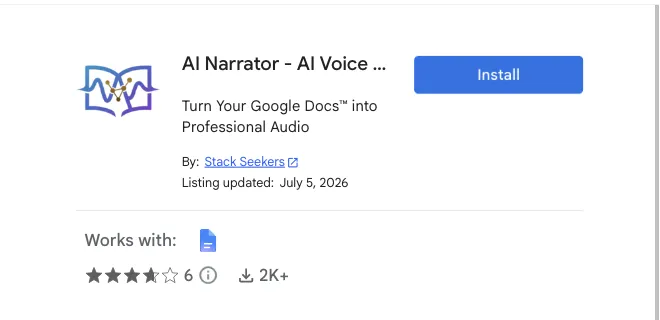
Quick Summary: In 2026, developers pick ElevenLabs for the most natural voices and cloning, OpenAI for a simple, widely-used speech endpoint, Google Cloud / Gemini TTS for broad language coverage (70+ languages) and enterprise tooling, and Amazon Polly / Microsoft Azure for cloud-native pipelines. For self-hosted control, Kokoro and F5-TTS are the open-source options. If you want these voices inside your documents without writing an API integration, the free AI Narrator Google Docs Add-on wraps the same engine for you.
ElevenLabs API
The reference for emotional realism and zero-shot voice cloning. Independent 2026 listening tests put its speech naturalness around 89–90%. Cloning starts around ~$22/month and its Starter tier is ~$5/month, covering 32 languages. Best for narrative, dubbing and character work where expressiveness carries the output.OpenAI Audio TTS API
A simple, cost-effective speech endpoint with preset voices (Alloy, Echo, Shimmer and more) and low-latency streaming. It does not offer instant voice cloning the way ElevenLabs does — you choose from presets. Great for agents, assistants and apps that need quick, reliable speech without heavy setup.Google Cloud / Gemini Text-to-Speech
The strongest choice for language coverage: Gemini TTS lists 70+ languages, with prompt-based prosody control, inline audio tags, multi-speaker dialogue, and SynthID watermarking. Usage is billed around ~$0.037 per minute. Ideal for enterprise pipelines that need scale and breadth.Amazon Polly & Microsoft Azure
Cloud-native TTS for teams already on AWS or Azure. Both are developer-focused APIs with usage-based pricing and broad voice libraries. Choose them when you want TTS inside your existing cloud workflow with strong SLAs and region support.
Kokoro API
A lightweight, fast open-source TTS model (Kokoro-82M) that can be containerized and deployed on modest CPU servers for near-zero recurring cost. Small footprint, very low latency, no vendor billing — a favorite for privacy-focused and cost-sensitive teams.F5-TTS server
A self-hosted flow-matching engine that provides zero-shot voice cloning from a short sample, with low latency on modern GPUs. More demanding on hardware than Kokoro, but stronger for cloning use cases without paying a vendor.Trade-offs to know
Self-hosted models give you total control and privacy, but you own the infrastructure, maintenance and quality tuning. For most teams the managed APIs are the faster path; go open source when cost, privacy or customization is the binding constraint.
- For Startups: Managed APIs like OpenAI and Google Cloud/ Gemini TTS offer the fastest path to market. They scale automatically and handle traffic without server maintenance, so you focus on your product.
- For Developers & Power Users: Self-hosting Kokoro-82M on a VPS provides total control, maximum speed, and removes recurring per-character costs — at the price of owning the infrastructure.
- For expressive content: ElevenLabs remains the voice-quality leader for narrative, dubbing and cloning-heavy products.
Quality & Language Coverage
For raw naturalness, ElevenLabs leads; Google's Gemini TTS leads on breadth with 70+ languages — see our language coverage deep-dive. Quality questions are best answered by listening rather than spec sheets, so test your own script before committing.Billing Model
Google/ Gemini TTS bills around ~$0.037 per minute; others bill per character or per month with included credits. ElevenLabs frames pricing around monthly tiers plus credits. Because billing units differ, the cheapest provider depends on your volume and voice mix — always compare like-for-like for your workload.Developer Experience
OpenAI's endpoint is famously fast to integrate (a few lines of code). Google Cloud and Azure bring enterprise auth and SLAs. Self-hosted options demand the most setup but give the best control. For an end-to-end head-to-head, see our AI Narrator vs ElevenLabs analysis.
Skip the Code: If your content team wants these voices inside Google Docs without writing code, configuring API keys and handling OAuth, the pre-built AI Narrator add-on handles the entire integration for you. It runs on the Gemini TTS engine with 21 languages, 32 voices and 19 presets.
- Real-time assistants: OpenAI TTS and Google Gemini streaming are the most straightforward to integrate for conversational audio.
- Narrative and dubbing: ElevenLabs (32 languages) offers the most expressive output and cloning, starting around ~$22/month for cloning.
- Broad locale coverage: Google Gemini TTS lists 70+ languages with SynthID watermarking and prompt-based prosody.
- Cloud-native pipelines: Amazon Polly and Microsoft Azure keep TTS inside your existing AWS/Azure workflows with usage-based billing.
- Cost and privacy: Self-host Kokoro-82M (CPU-friendly) or F5-TTS (GPU) for zero per-character billing.
import fs from "fs"; import path from "path"; import OpenAI from "openai"; const openai = new OpenAI(); const speechFile = path.resolve("./speech.mp3"); async function main() { const mp3 = await openai.audio.speech.create({ model: "tts-1", voice: "alloy", input: "AI voice technology in 2026 is truly revolutionary.", }); const buffer = Buffer.from(await mp3.arrayBuffer()); await fs.promises.writeFile(speechFile, buffer); console.log("Audio generated successfully!"); } main();
import requests url = "https://api.elevenlabs.io/v1/text-to-speech/YOUR_VOICE_ID" headers = { "xi-api-key": "YOUR_API_KEY", "Content-Type": "application/json" } data = { "text": "Hello! This is a custom voice clone created via the ElevenLabs API.", "model_id": "eleven_multilingual_v2" } response = requests.post(url, json=data, headers=headers) with open("output.mp3", "wb") as f: f.write(response.content) print("Custom voice audio generated!")
Ready to try your AI voice? Skip the code and use the AI Narrator Add-on for Google Docs to narrate documents in high-quality voices instantly.
- The Complete Guide to AI Voice Cloning in 2026 — Full comparison of free and open-source voice cloning models.
- How to Improve Voice Clone: Best Scripts — Recording scripts for maximum voice clone fidelity.
- AI Narrator vs ElevenLabs — Head-to-head comparison with the API leader.
- Best ElevenLabs Alternatives in 2026 — Full roundup of every AI voice tool.
Want to hear these voices yourself?
Try our AI Narrator for free right now. No sign-up required.
Play Voice SamplesReady to Try AI Narrator?
Start converting your Google Docs into professional audio today. Free forever!
Add to Doc - It's free