AI Narrator
AI NarratorAI Voice Generator
Pricing
AI Narrator Logo
AI NarratorAI Voice Generator

Transform your Google Docs into professional audio with AI-powered voices and intelligent document processing.

Product

  • Pricing
  • Voice Samples
  • Voice Presets
  • Integrations
  • Feature Requests

Support

  • Documentation
  • Installation Guide
  • Gemini API Key Guide
  • FAQ
  • Contact

Legal

  • Privacy Policy
  • Terms of Service

AVAILABLE ON

Google Workspace Marketplace
ChromeTelegram

Support the Project

Your donations help keep this project free and maintained

PayPalRazorpayDodo

© 2025Stack Seekers. All rights reserved.

GitHubLinkedIn
  1. Google Docs
Free Google Docs Add-on

Listen to Your Google Docs with AI Voices

Transform your documents into natural, studio-quality speech powered by Google Gemini™ AI — choose from 32 distinct voice personalities, right inside Google Docs.

Start for Free

Why AI Narrator for Google Docs?

32 Unique Voices

A diverse library of male and female voices ranging from warm and conversational to authoritative and deep — each crafted for specific content types like e-learning, storytelling, business presentations, and ads.

Voice Presets

Get started quickly with pre-configured style presets — Storyteller, Tech Explainer, Documentary Narrator, Vlog & Casual Talk, Executive Pitch, and more. Save custom presets with your own names, prompts, and categories for quick reuse.

Customizable Tone & Emotional Markers

Fine-tune delivery with custom prompts like "Speak energetically for a YouTube intro" or "Use a calm, instructional tone," and inject emotions such as [excited] or [thoughtful] directly in your text for dynamic, context-aware narration.

Multilingual Interface

The add-on sidebar is available in 16 languages — English, Spanish, French, Hindi, Bengali, Tamil, and more — with automatic language detection and one-click switching.

Flexible Selection

Convert entire documents or just the specific text you have highlighted.

Smart Extraction

Effortlessly handles complex document structures, including tables and lists.

Auto-Organization

Generated audio and analysis reports are saved automatically to a dedicated "AI Narrator" folder in Google Drive™.

High-Quality Exports

Download studio-quality WAV files ready for video editing, podcasts, or presentations.

AI-Powered Content Analysis

Go beyond simple narration: analyze your document's structure, writing style, and persuasive techniques with Google Gemini™ AI.

  • Document Type & Audience Identification — automatically detects what you are writing (script, blog, report, email) and tailors the analysis to your audience.
  • Style & Engagement Analysis — evaluates tone, clarity, pacing, and emotional impact so you understand why your content works.
  • Actionable Recommendations — step-by-step, concrete suggestions instead of generic advice, so you know exactly which techniques to adopt and replicate.
  • Export Reports to Google Docs™ — apply AI recommendations directly and save the full HTML report to your "AI Narrator" Drive folder for future reference.
  • Polished Sidebar UI — collapsible sections, voice dropdowns with detailed descriptions, real-time status updates, loading indicators, and helpful error messages.
  • Privacy First — API keys stay in secure Apps Script properties, and document content is processed momentarily for generation and analysis, then discarded.

Who Is AI Narrator For?

Content Creators & YouTubers

Produce professional voiceovers for video scripts, intros, outros, and full narrations — no recording equipment, studio time, or voice actors needed.

Educators & E-Learning Professionals

Create accessible audio versions of lesson plans, lecture notes, study guides, and handouts, plus narration for educational videos and training modules.

Business Professionals & Corporate Teams

Convert reports, proposals, and internal communications into audio for hands-free consumption during commutes, and generate consistent voiceovers for training and onboarding materials.

Accessibility & Inclusive Design Teams

Make text-heavy documents accessible to users with visual impairments or reading difficulties such as dyslexia, with clear natural narration for a better listening experience.

Writers & Editors

Hear drafts read aloud to catch awkward phrasing, run-on sentences, and tonal inconsistencies, get structural feedback from AI analysis, and proofread on the go.

Podcasters & Audiobook Creators

Narrate podcast episodes and audiobook chapters without hiring voice talent, matching tone with presets like Storyteller and Documentary Narrator.

Getting Started

No subscription needed. AI Narrator is completely free to install and use — voice generation requires only your free Google AI™ API quota. No hidden costs, no monthly fees.

  1. 1

    Get an API Key

    Visit Google AI Studio to get your free Gemini API key, or watch our step-by-step video tutorial.

    Google AI StudioVideo tutorial
  2. 2

    Enter Your Key

    Open the AI Narrator sidebar in Google Docs™, go to Settings, and paste your API key.

  3. 3

    Start Creating

    Select your preferred voice and click "Generate AI Voice" to convert your document to audio.

Built-in Error Handling

  • API and quota issues come with clear guidance and direct links to Google's rate limit documentation, plus automatic retry logic for transient failures.
  • Invalid API keys are detected immediately with real-time validation feedback during setup.
  • Large documents and complex formatting are handled intelligently, with clear guidance on size and character limits.

Technical Specifications

  • Supports documents up to 500KB.
  • Generates AI voice for up to 8,000 characters per request.
  • Analyzes up to 30,000 characters per request.
  • Automatic model fallback chain with retry logic and exponential backoff keeps the service available during peak loads.

Ready to Listen Instead of Read?

No subscription needed — AI Narrator is completely free to install and use with your free Google AI™ API quota.

Step-by-Step Guide to Using AI NarratorHow to Use

Get started in minutes with our simple 3-step process3 simple steps to get started

Quick Answer

What is AI Narrator and is it free?

AI Narrator is a free Google Docs add-on that converts your written documents into professional audio using 30+ AI voices across 22 languages. It is completely free forever with no credit card required. Install it from the Google Workspace Marketplace in under 2 minutes and generate your first audio immediately.

1

Install AI Narrator Add-on

Go to Google Marketplace

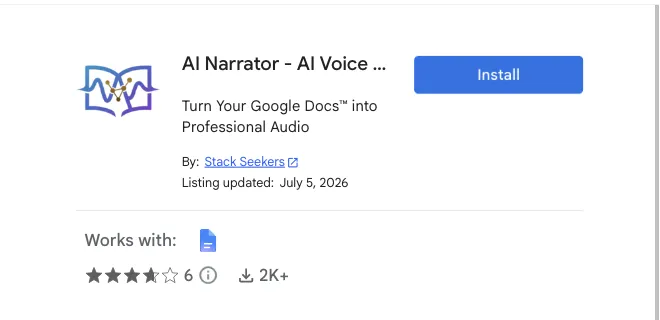
AI Narrator on Google Workspace MarketplaceInstall AI Narrator
AI Voice generator → Install
2

Open AI Narrator Sidebar

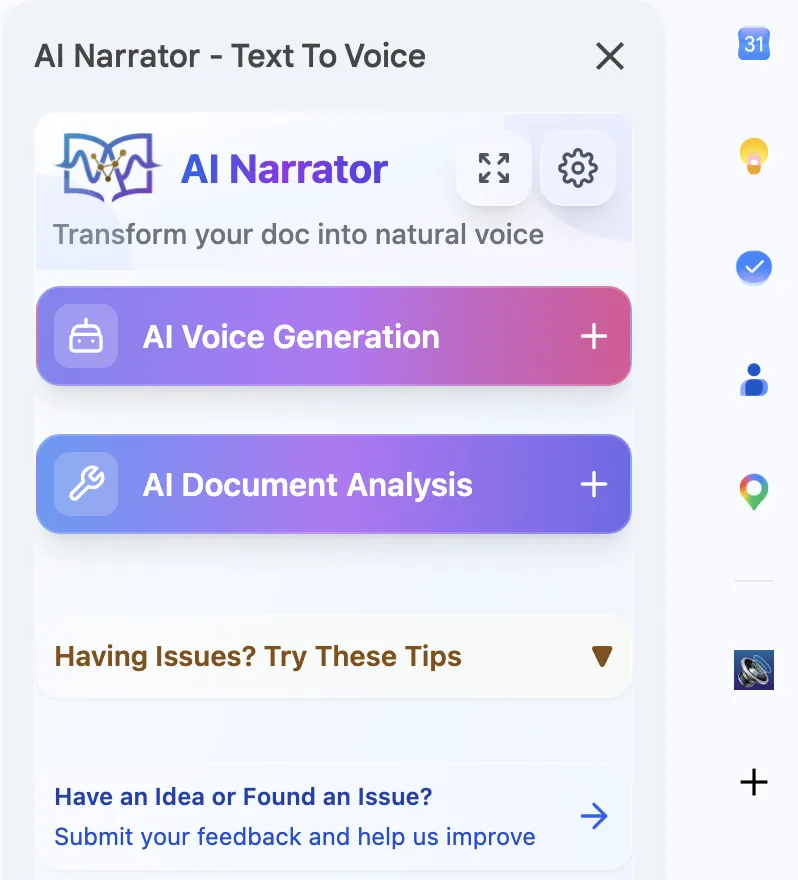
The interface will appear on the right side with all controls.

AI Narrator Sidebar
Click "AI Narrator Icon"AI Narrator icon
3A

AI Voice Generation

Choose from 30+ professional AI voices. Select text or convert entire documents to high-quality audio.

AI Voice → Play!
3B

AI Analysis

Get AI-powered insights about your document content, structure, and recommendations for improvement.

Doc Analysis → Insights!
Download Free Now