Google Docs का उपयोग करके ब्लॉग पोस्ट को पॉडकास्ट एपिसोड में कैसे बदलें
त्वरित उत्तर: ब्लॉग पोस्ट को पॉडकास्ट एपिसोड में बदलने के लिए, अपना लेख Google Docs में खोलें, AI नैरेटर साइडबार खोलें, Creator/Storyteller जैसा एक प्रीमियम प्रीसेट चुनें, और अपना ऑडियो उत्पन्न करें। WAV फ़ाइल डाउनलोड करें, इंट्रो/आउट्रो जोड़ें, और श्रोताओं को आकर्षित करने के लिए Spotify या Apple Podcasts पर प्रकाशित करें।
📈 अपनी सामग्री की पहुंच दोगुनी करें
Spotify, Apple Podcasts और Amazon Music जैसे प्लेटफॉर्म पर उन श्रोताओं तक पहुंचें जो अन्यथा कभी आपका ब्लॉग नहीं ढूंढ पाएंगे।⏳ पेज पर समय अधिकतम करें
अपने लिखित लेखों में एक ऑडियो प्लेयर जोड़ना उपयोगकर्ता के रहने के समय को बढ़ाता है, जो खोज इंजन SEO के लिए एक प्रमुख सकारात्मक रैंकिंग संकेत है।🔄 कुशलतापूर्वक पुन: उपयोग करें
नए विषयों पर विचार-मंथन करने की आवश्यकता नहीं है। अपने मौजूदा अच्छी तरह से प्रदर्शन करने वाले ब्लॉग लेखों को उच्च-मूल्य वाले पॉडकास्ट एपिसोड में बदलें।
| पॉडकास्ट पहलू | पारंपरिक रिकॉर्डिंग | AI Narrator वर्कफ़्लो |
|---|---|---|
| आवश्यक उपकरण | स्टूडियो माइक, पॉप फ़िल्टर, इंटरफ़ेस | केवल एक ब्राउज़र |
| रिकॉर्डिंग स्पेस | साउंडप्रूफ शांत कमरा | कहीं भी, पूरी तरह से मौन जनरेशन |
| संपादन का समय | "ums", पॉप्स, सांस को हटाने में घंटों लगते हैं | शून्य संपादन की आवश्यकता |
| पुनर्उपयोग लागत | उच्च (समय या किराए की प्रतिभा) | मुफ़्त/शामिल |
चरण 1: Google डॉक्स में अपनी स्क्रिप्ट तैयार करें
Google डॉक्स में अपना प्रकाशित ब्लॉग पोस्ट खोलें।
वेब-विशिष्ट वाक्यांशों जैसे "नीचे दिए गए लिंक पर क्लिक करें" या "ऊपर दी गई छवि में जैसा देखा गया है" को हटा दें। उन्हें ऑडियो-फ्रेंडली विकल्पों से बदलें।
चरण 2: पॉडकास्ट इंट्रो और आउट्रो जोड़ें
एक संक्षिप्त परिचय (जैसे, "[पॉडकास्ट नाम] पॉडकास्ट में आपका स्वागत है...") और अंत में एक स्पष्ट कॉल-टू-एक्शन आउट्रो जोड़ें।
यह आपकी ऑडियो फ़ाइल को एक पेशेवर पॉडकास्ट प्रारूप देता है।
चरण 3: "क्रिएटर/स्टोरीटेलर" प्रीसेट चुनें
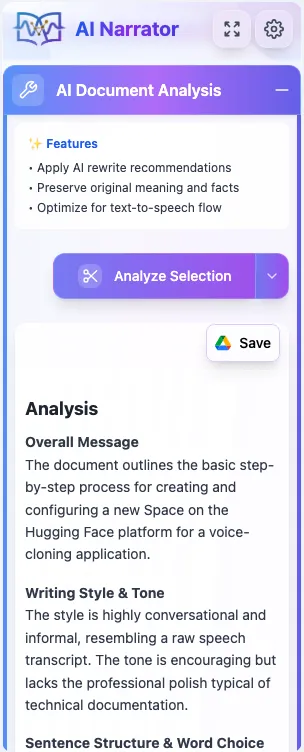
AI नैरेटर साइडबार खोलें। अपनी पोस्ट के लहजे के आधार पर "स्टोरीटेलर" या "एक्जीक्यूटिव पिच" प्रीसेट चुनें। अधिक विकल्पों के लिए पॉडकास्ट के लिए सर्वश्रेष्ठ वॉयस प्रीसेट पर हमारी गाइड देखें।
जेनरेट पर क्लिक करें और यह सुनिश्चित करने के लिए वॉयस फ्लो सुनें कि लहजा और गति आपकी सामग्री से मेल खाती है।
चरण 4: डाउनलोड और वितरित करें
जेनरेट की गई WAV फ़ाइल डाउनलोड करें।
ऑडियो को अपने पॉडकास्ट होस्ट (जैसे Spotify for Podcasters या Libsyn) पर अपलोड करें और इसे अपने मूल ब्लॉग पोस्ट के शीर्ष पर एम्बेड करें।
SEO बोनस: एम्बेडेड ऑडियो प्लेयर वाले पेज पर औसत समय-ऑन-पेज में 150-200% की वृद्धि देखी जाती है। इसे लागू करने से आपके पॉडकास्ट ट्रैफ़िक और सर्च इंजन रैंकिंग दोनों को बढ़ावा मिलता है!
- ऑडियोबुक्स के लिए AI नैरेटर: सर्वश्रेष्ठ आवाज़ें और प्रीसेट — वर्णनात्मक और संवादात्मक सामग्री के लिए वॉयस प्रीसेट।
- Google डॉक्स को ऑडियो फ़ाइलों में कैसे बदलें — सभी ऑडियो रूपांतरण विधियों की तुलना।
- AI नैरेटर बनाम ElevenLabs — दस्तावेज़-आधारित सामग्री निर्माण के लिए AI नैरेटर तेज़ क्यों है।
- 2026 में सर्वश्रेष्ठ ElevenLabs विकल्प — सभी AI वॉयस टूल की पूर्ण तुलना।
आज ही अपना पॉडकास्ट शुरू करें: AI नैरेटर मुफ्त में इंस्टॉल करें और मिनटों में अपने पहले ब्लॉग पोस्ट को पॉडकास्ट एपिसोड में बदलें।
क्या आप स्वयं ये आवाजें सुनना चाहते हैं?
अभी हमारे AI नैरेटर को निःशुल्क आज़माएँ। कोई साइन-अप आवश्यक नहीं है.
AI Narrator को आज़माने के लिए तैयार हैं?
आज से अपने Google Docs को पेशेवर ऑडियो में बदलना शुरू करें। हमेशा के लिए मुफ्त!
Doc में जोड़ें - यह मुफ़्त है