Try AI Narrator Free
Sign up free — no credit card required. Turn your documents into natural-sounding audio in minutes.
Sign Up FreeTry AI Narrator Free
Experience the voices mentioned in this article. Install the Google Docs add-on and generate audio from any document in seconds.
Browse All Voices最佳Google文档文字转语音扩展:AI Narrator评测
专用的Google文档文字转语音扩展可以彻底改变您与文档的交互方式。无需在标签页之间切换或将内容复制粘贴到单独的工具中,合适的扩展将语音生成直接带入文档编辑器。
AI Narrator是领先的Google文档文字转语音扩展。在本评测中,我们深入分析其功能、语音质量以及与其他选项的比较。如需更广泛的了解,请查看我们的最佳Google文档TTS汇总。
Info
快速回答: Google Docs 的最佳文本转语音扩展程序是 AI Narrator。它一键安装,增加一个包含 32 种专业 AI 语音的侧边栏,支持 15 种以上语言,并直接从文档中导出高质量的 WAV 音频文件。
想亲自听到这些声音吗?
立即免费试用我们的人工智能讲述人。无需注册。
优秀的 Google Docs TTS 扩展应具备什么?
一个优秀的扩展程序应无缝集成、提供高质量语音、支持多种语言并允许音频导出。它应该在不拖慢浏览器速度或不需要复杂设置的情况下工作。AI Narrator 在所有这些方面都表现出色。
一个优秀的扩展程序应无缝集成、提供高质量语音、支持多种语言并允许音频导出。它应该在不拖慢浏览器速度或不需要复杂设置的情况下工作。AI Narrator 在所有这些方面都表现出色。
一键安装
从 Chrome 网上应用店几秒钟内完成安装32 种 AI 语音
专业、自然且引人入胜的语音文档内界面
在 Google Docs 内运行,无需打开新标签页15+ 种语言
支持带有母语口音的全球语言
AI Narrator 功能深度解析
AI Narrator 是专为 Google Docs 构建的。与普通的 Chrome TTS 扩展不同,它了解文档结构——它会在标题处暂停,尊重段落换行,并自然地朗读列表。这使其成为校对、内容创作和无障碍使用的理想选择。了解如何使用 AI Narrator 大声朗读 Google Docs。
AI Narrator 是专为 Google Docs 构建的。与普通的 Chrome TTS 扩展不同,它了解文档结构——它会在标题处暂停,尊重段落换行,并自然地朗读列表。这使其成为校对、内容创作和无障碍使用的理想选择。了解如何使用 AI Narrator 大声朗读 Google Docs。
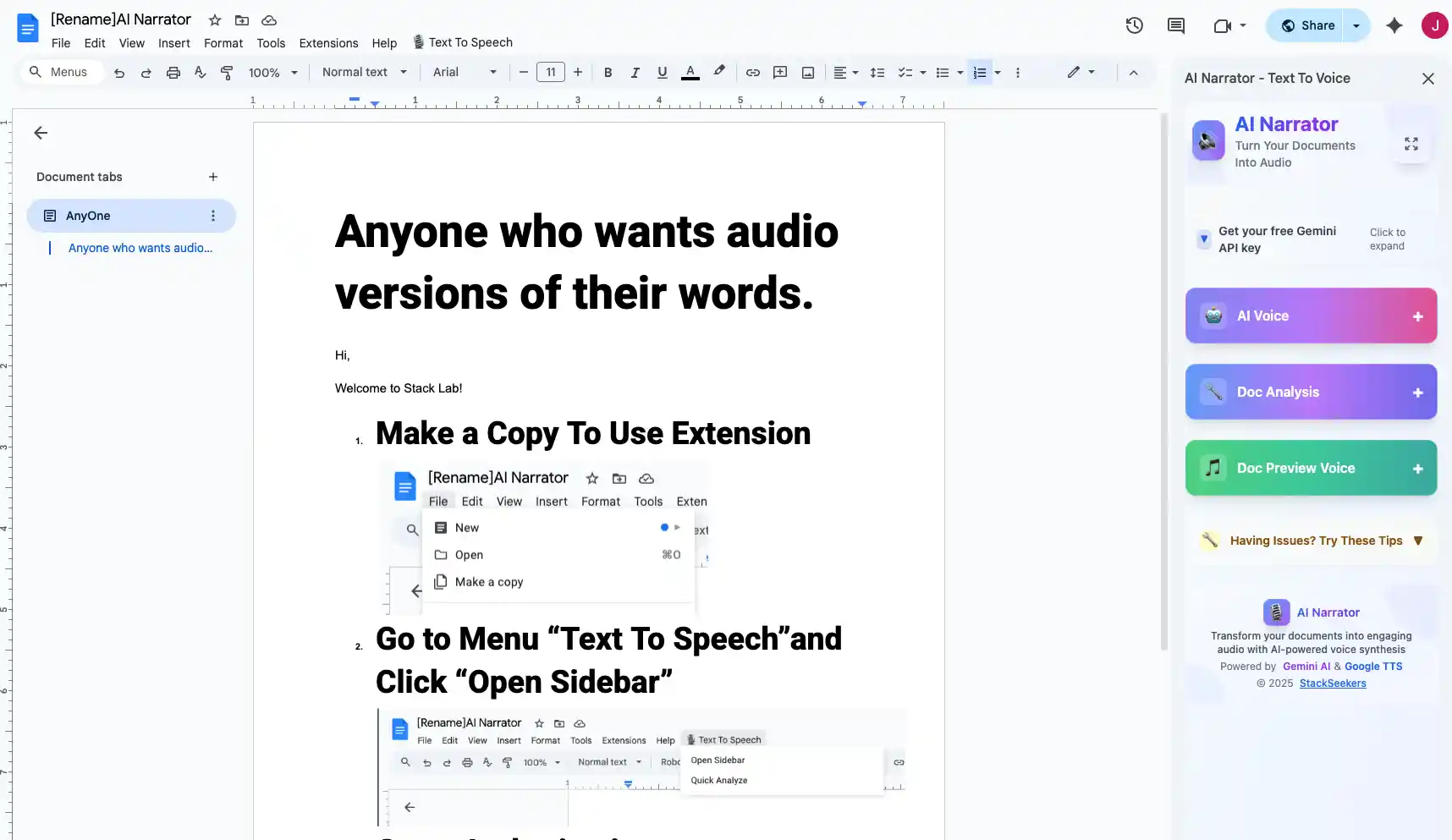
步骤 1:从 Chrome 网上应用店安装
在 Chrome 网上应用店 中搜索“AI Narrator”,然后单击“添加至 Chrome”。该扩展程序一键即可完成安装。
步骤 2:打开任意 Google Doc
AI Narrator 面板会自动出现在 Google Docs 编辑器的右侧。
步骤 3:生成音频
选择文本或选择“整个文档”。挑选一个声音,调整设置,然后点击生成。您的音频将在几秒钟内准备好。
步骤 4:下载或播放
直接在浏览器中播放音频,或在 Pro 方案中将其下载为 WAV 文件。与他人分享或在您的项目中使用它。
快速回答:Google文档最佳文字转语音扩展是AI Narrator。一键安装,添加带有32种专业AI语音的侧边栏,支持15+种语言,可直接从文档导出高质量WAV音频文件。
| 功能 | AI Narrator | 典型扩展 |
|---|---|---|
| 语音质量 | 神经 AI | 基础 TTS |
| 语音数量 | 32 | 3-5 |
| 语言 | 21 | 5-8 |
| WAV 导出 | 是 (Pro) | 否 |
| 文档结构 | 尊重 | 忽略 |
使用最佳TTS扩展增强您的Google文档。免费安装AI Narrator,感受差异。
Disclosure
Some of the tools compared on this site — including AI Narrator — are our own products. We review them on the same footing as competitors, on current pricing and hands-on testing, and always tell you when a product is ours.