Try AI Narrator Free
Sign up free — no credit card required. Turn your documents into natural-sounding audio in minutes.
Sign Up FreeTry AI Narrator Free
Experience the voices mentioned in this article. Install the Google Docs add-on and generate audio from any document in seconds.
Browse All VoicesBrowse other categories
Best Text to Speech Extension for Google Docs: AI Narrator Review
Quick Answer
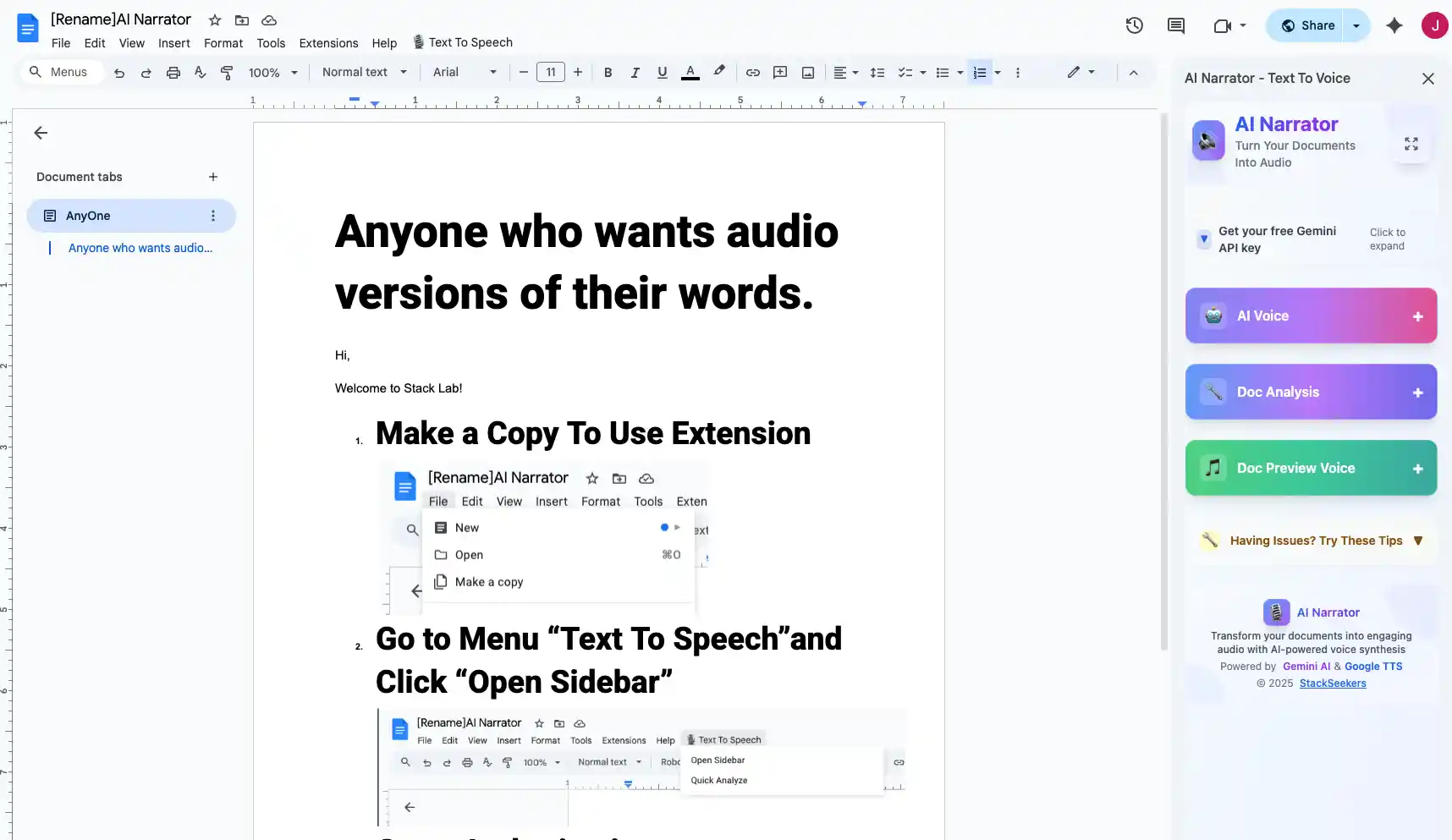
The best text-to-speech extension for Google Docs is AI Narrator. It installs in one click, adds a sidebar with 29+ professional AI voices across 21 languages, and exports high-quality WAV audio files directly from your document.
Want to hear these voices yourself?
Try our AI Narrator for free right now. No sign-up required.
A great extension should integrate seamlessly, offer high-quality voices, support multiple languages, and allow audio export. It should work without slowing down your browser or requiring complicated setup. AI Narrator performs well in all of these areas.
One-Click Install
Installs in seconds from the Chrome Web Store29+ AI Voices
Professional voices that sound natural and engagingIn-Document Interface
Works inside Google Docs without opening new tabs21 Languages
Consistent coverage with native pronunciation
AI Narrator is purpose-built for Google Docs. Unlike generic Chrome TTS extensions, it respects document structure — it pauses at headings, respects paragraph breaks, and reads lists naturally. This makes it useful for proofreading, content creation, and accessibility. Learn how to read Google Docs aloud with AI Narrator.
AI Narrator provides 29+ voices (14 female and 18 male) across 21 languages, plus 19 curated voice presets organized into categories like creators, business, e-learning, marketing, and wellness. In testing, presets such as Storyteller, Lecture & Concepts and Commercial Voiceover reliably deliver distinct pacing and emphasis without complex settings. Because the default model is Google Gemini TTS, you can also control emotion and pacing with simple bracket tags for expressions like [happy] or [slow].
Ready to Try AI Narrator?
Start converting your Google Docs into professional audio today. Free forever!
Add to Doc - It's freeStep 1: Install from Chrome Web Store
Search for "AI Narrator" in the Chrome Web Store and click Add to Chrome. The extension installs in one click.
Step 2: Open Any Google Doc
The AI Narrator panel appears automatically on the right side of your Google Docs editor.
Step 3: Generate Audio
Select text or choose "Entire document." Pick a voice, adjust settings, and click Generate. Your audio is ready in seconds.
Step 4: Download or Play
Play the audio directly in your browser or download it as a WAV file on the Pro plan. Share it with others or use it in your projects.
Most TTS extensions offer limited voice options and basic sound quality. AI Narrator distinguishes itself with 29+ neural voices, WAV export, 21-language support, and seamless Google Docs integration that many tools lack. For those focused on accessibility, AI Narrator's natural voices reduce listening fatigue during long sessions.
| Feature | AI Narrator | Typical Extension |
|---|---|---|
| Voice Quality | Neural AI | Basic TTS |
| Number of Voices | 32 | 3-5 |
| Languages | 21 | 5-8 |
| WAV Export | Yes (Pro) | No |
| Document Structure | Respected | Ignored |
AI Narrator offers a free plan with 5 TTS conversions per month and a Pro plan at about $7 a month for 100 conversions, WAV downloads, and custom voice cloning (from roughly 30 seconds of audio, in beta). Compared to premium TTS platforms that lean toward per-character API billing, this is straightforward value for people working in Google Docs daily. For multilingual teams, check our multilingual TTS options.
Disclosure
Some of the tools compared on this site — including AI Narrator — are our own products. We review them on the same footing as competitors, on current pricing and hands-on testing, and always tell you when a product is ours.